
RCRAInfo (login) is the source of your manifest data for EPA and also the place where an API ID and API key can be generated so Mapistry can connect to RCRAinfo.
Step 1 - Login to RCRAInfo
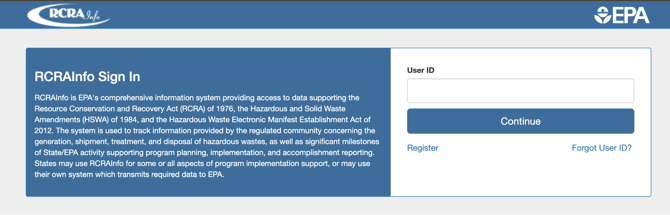
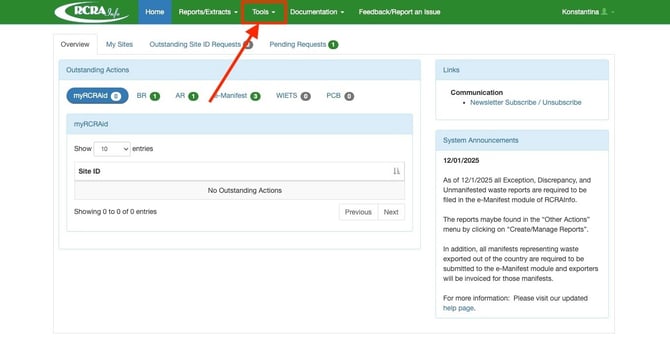
Note: The API information is only accessible by a person designated as the Site Manager in RCRAInfo. When you login, if there is not an option to select Tools at the top, you will need to identify your Site Manager in RCRAInfo. (Site Manager overview via the EPA)
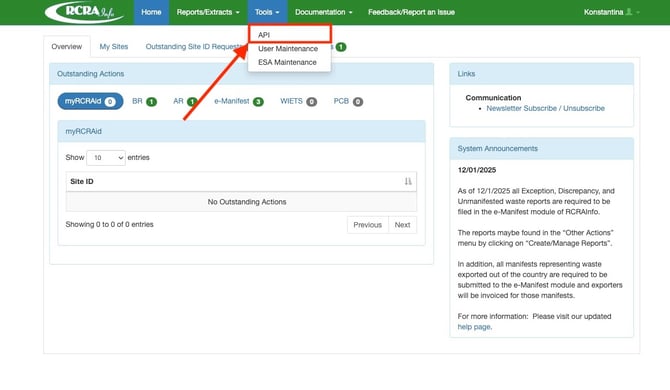
Step 2 - Click on Tools and Select API
Step 3 - Get API ID and Key
On the page Manage API ID, generate an API if you have not done so already. Copy the API ID and API Key and email it to your Mapistry contact.
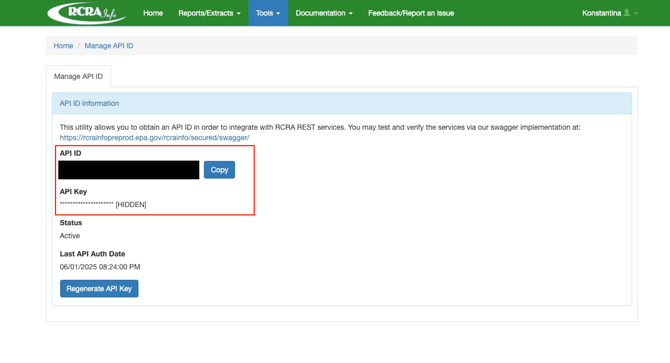
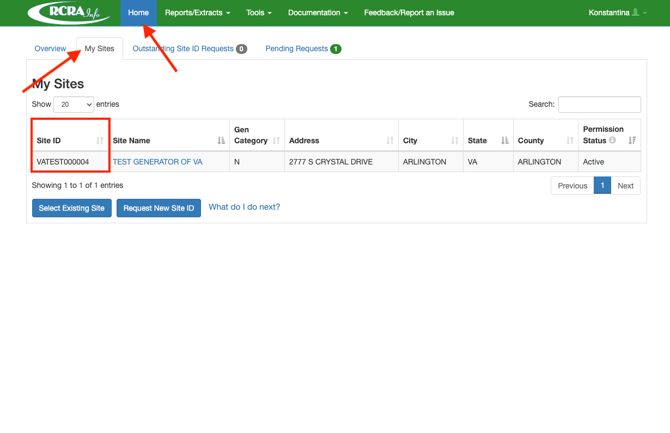
Step 4 - Get Site ID
In addition, navigate to the Home screen and click on My Sites. Email the Site ID(s) for all your locations to your Mapistry contact.
Additional Resources: RCRAInfo User Setup
If you don’t have access to RCRAInfo
- Please create your own RCRAInfo industry user account: How to create an account
- Please request access to your facility ID: How to request site access
- If there is an existing site manager your request will go to them to review.
- If there is no site manager your request for access will go directly to your state to review: State contact list
- Once approved, please complete the electronic signature agreement if you requested Site Management or Certifier for any module: How to complete the ESA
Additional help documentation from the EPA is available at https://rcrainfo.epa.gov/rcrainfo-help/application/industryHelp/index.htm#t=Introduction.htm
End of Article
Support
If you have any questions or need further assistance, please e-mail help@mapistry.com.