
Frequency Types:
- Generic Frequencies - Users can set the form frequency to one of Mapistry’s standard options, such as annually, quarterly, monthly, weekly, daily, or 'as needed.'
💡Note: if you set the frequency to daily, it will include the weekends.
- Custom Frequency - Create unique form frequencies that differ from any generic frequency. Examples include running different inspections at different times of year, or limiting daily logging to weekdays only. All inspection calendar widgets, except annual evaluations and reports, will use custom frequencies to adjust the calendar notifications and the visualization showing when inspections should be completed. To learn more, see this article on custom frequencies.
How to Set a Generic Frequency
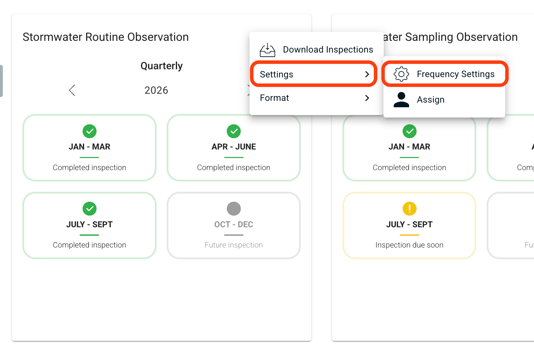
- Find the form you want to update and click the three-dot menu in the top right corner of its widget.
- Select Settings, then select Frequency Settings.
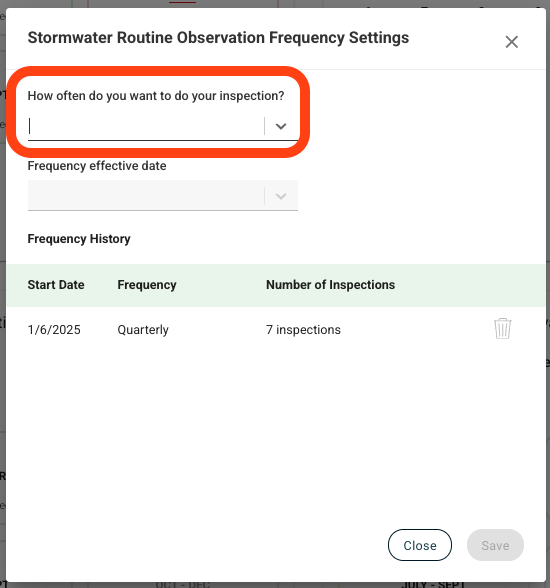
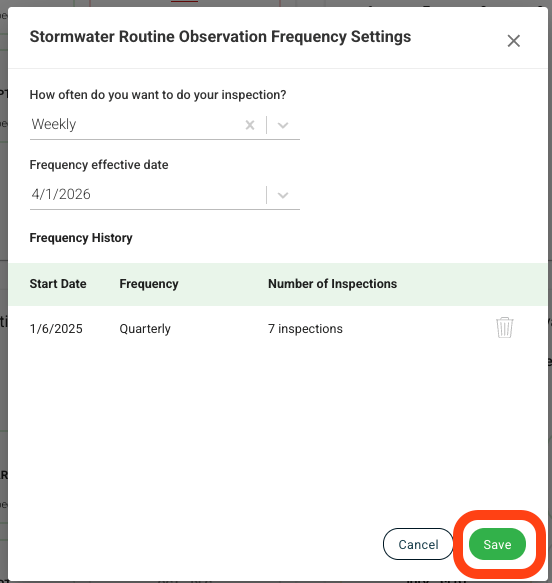
The frequency setting will appear on your page, and you can use the "How often do you want to do your inspection?" dropdown to set the new frequency.
💡Tip: You can always set a form frequency to Not In Use if you no longer need to complete the form. The form will still be available on your dashboard, and you can update the frequency at any time.
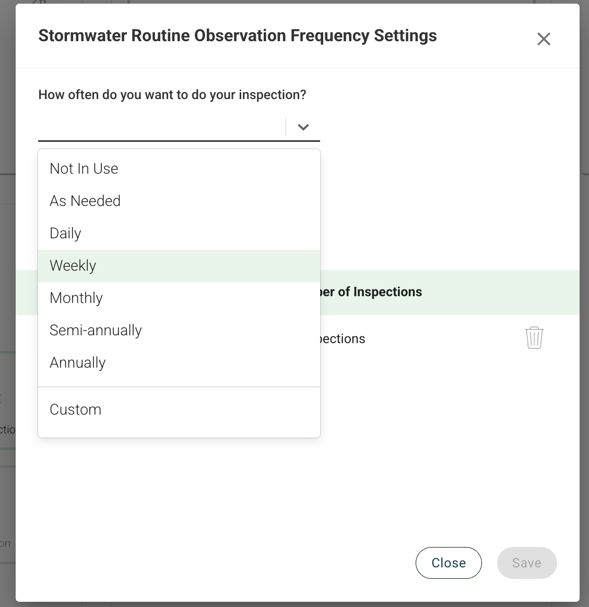
Select the frequency you want and then select the Frequency effective date.
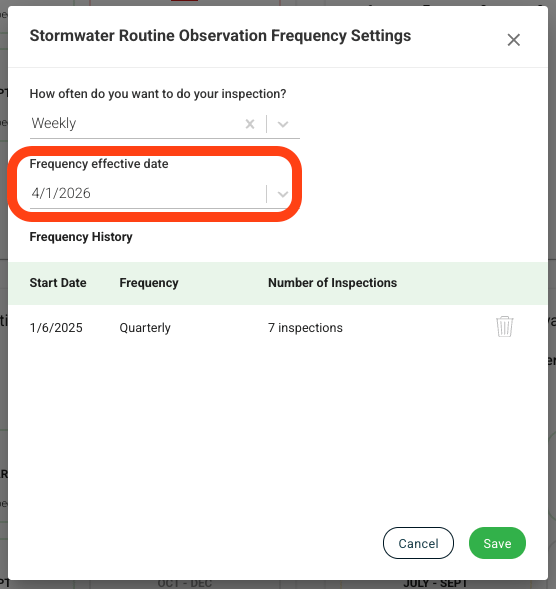
Press Save at the end.
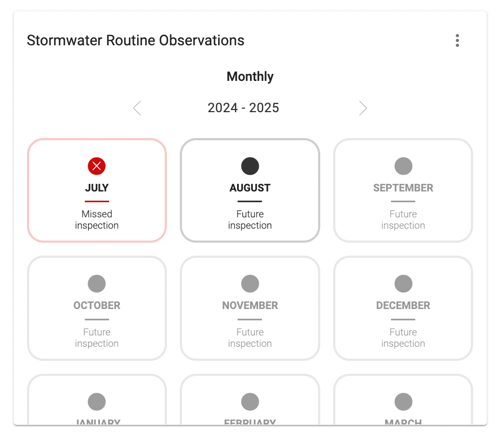
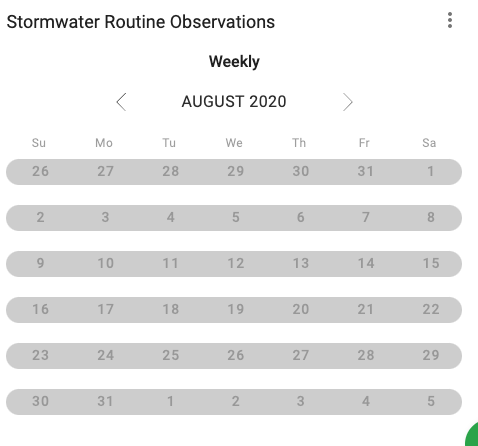
The calendar widget will update to show the mixed frequency for the form. Click into the month with the new frequency to see the upcoming inspections.
💡Note: You can only delete frequencies that do not have data attached to them. For example, if you accidentally create the wrong frequency and don't complete an inspection, you can delete that frequency.
💡Note: If you have a Stormwater Sampling Observation or another Visual Assessment form, you currently cannot update this form's frequency. Please reach out to help@mapistry.com if you need this form frequency updated.
End of Article
Support
If you have any questions or need further assistance, please e-mail help@mapistry.com or call (510) 313-1422.