Scenario: The following is an example of how a facility can use BOD concentration data and flow data that are collected within a month, but not at the same time to calculate mass loading. Discharge or flow readings are taken multiple times in the month and the total volume discharged is used. BOD concentrations are only taken once a month.
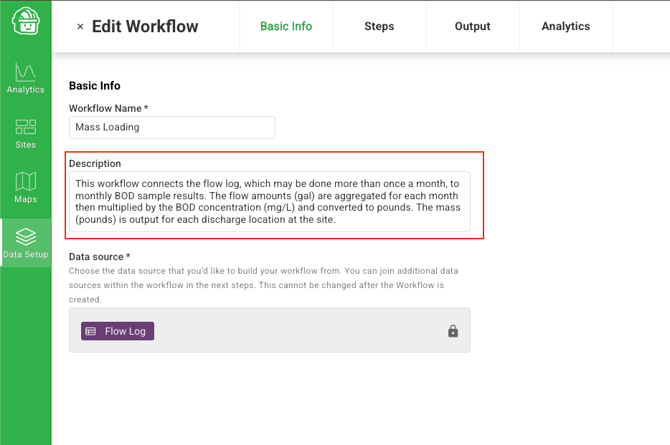
This is what the workflow looks like when done
Pre workflow, setup Resources and Logs
Create a log for discharge or flow and also one for BOD concentration.
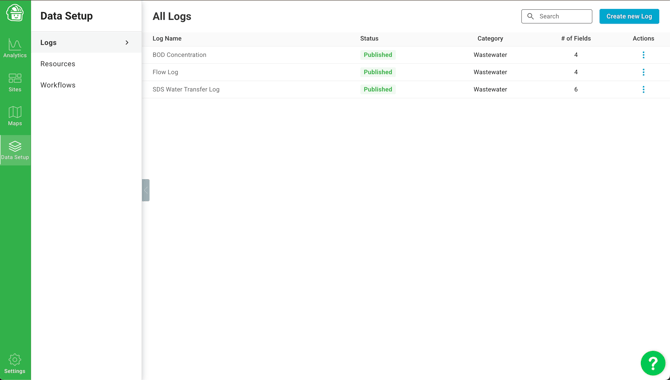
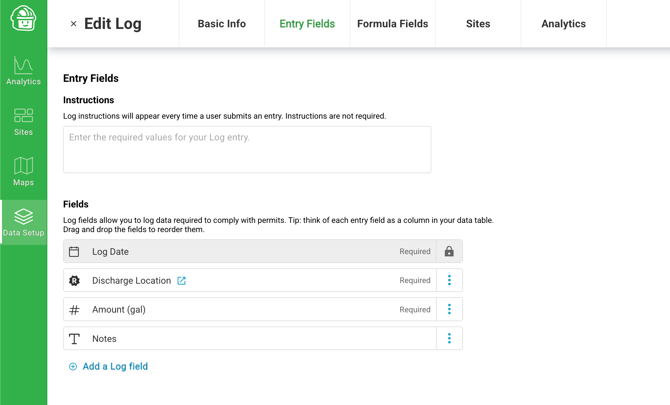
My flow log with "Discharge Locations" being a Resource and the amount of water discharged being a volume (default to gallons).
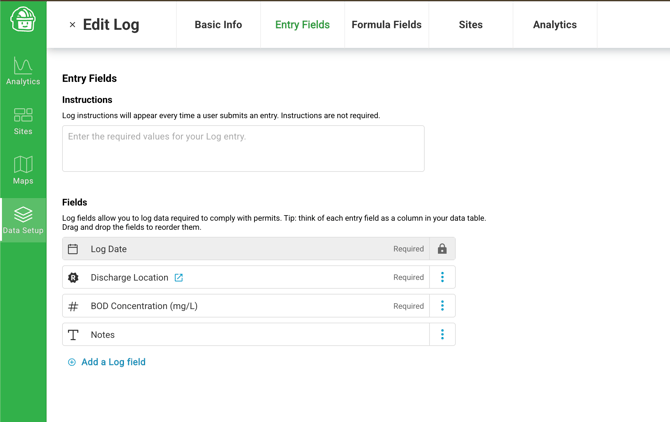
My BOD concentration is also linking to "Discharge Location" as a Resource so we can join the two logs together later.
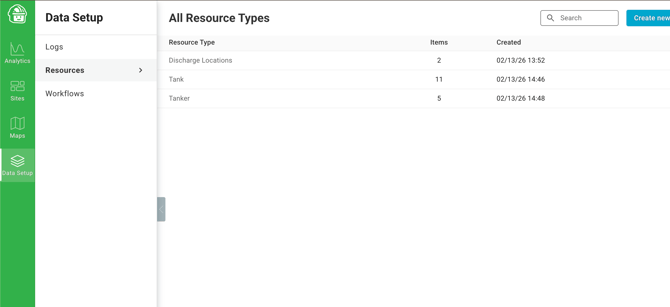
A quick look at my Resources tab which has "Discharge Locations" with two items in it for now.
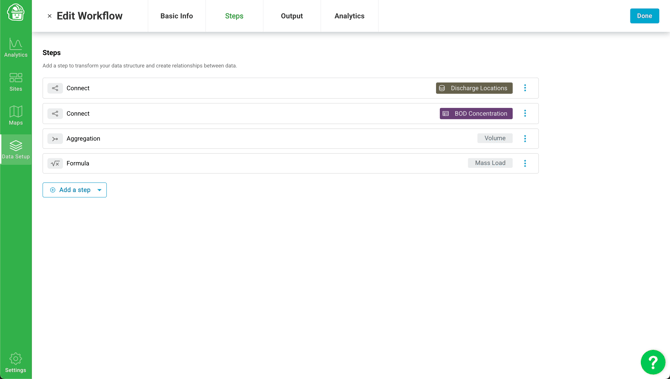
Workflow Setup
Step 1: Join the Flow Log to Discharge Locations (a Resource)
Select the data source you want to start with (Flow Log) and connect it to Discharge Locations.
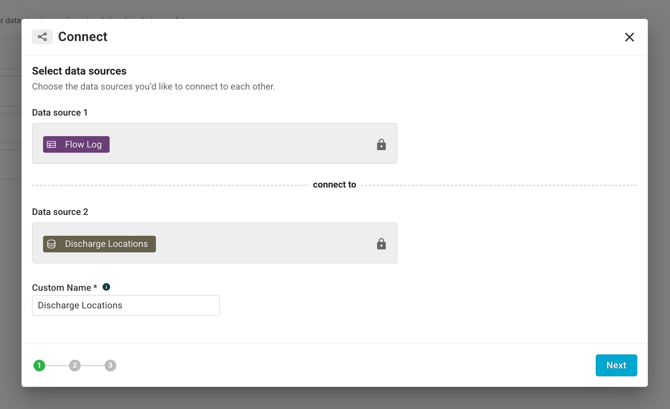
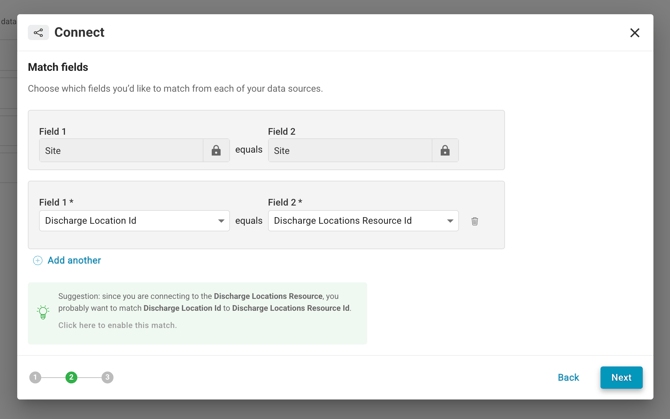
Then, match the Discharge Location in the Flow Log to the Discharge Locations Resource Id (notice the tip and automatic matching)
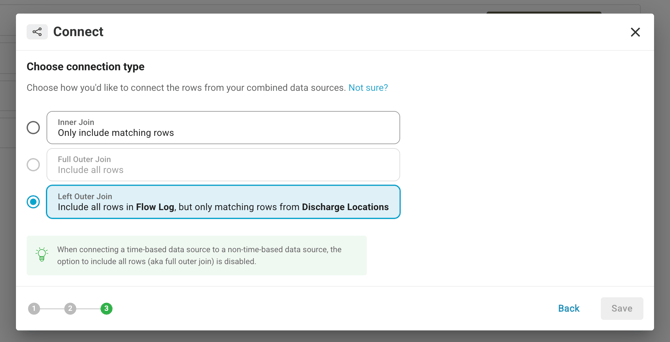
Then we say we want a "Left Outer Join" where we match Discharge Locations
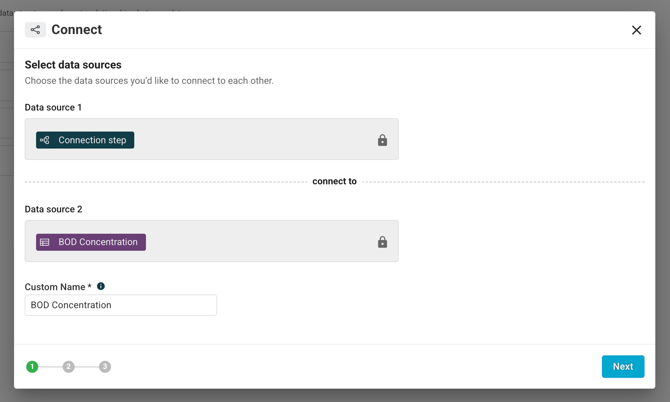
Step 2: Connect the Flow Log with Discharge Locations to the BOD Concentrations
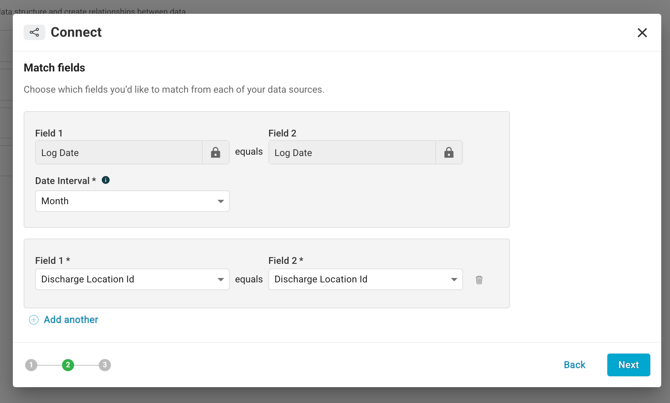
Match based on the month the logs occur in and the Discharge Location in each data source.
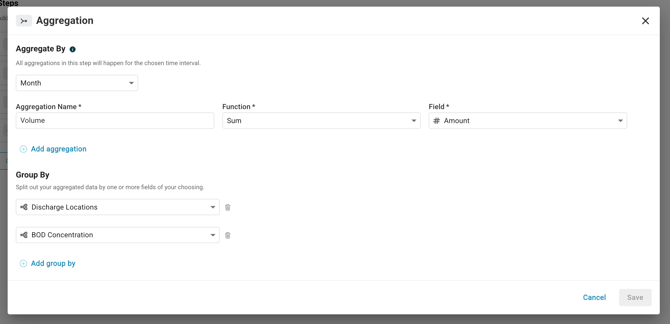
Step 3: Aggregate the volume by Month and group by Discharge Location and associated BOD concentration
Note, if we are going to have more than one BOD concentration in a month we might add in an averaging step for BOD concentration.
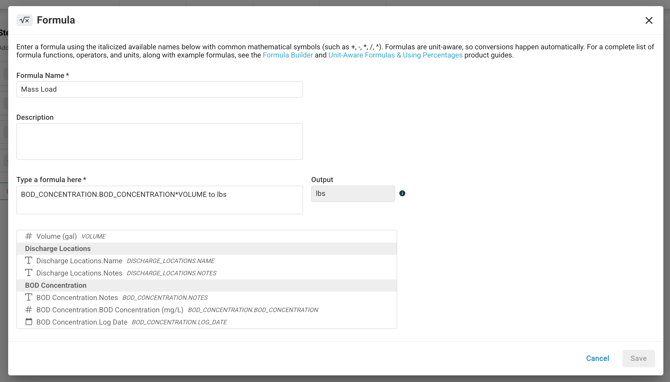
Step 4: Create the formula to calculate mass load
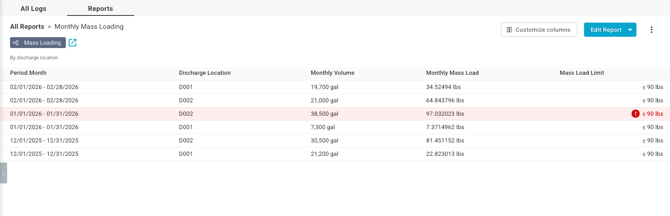
End Result: Mass Loading Report
Now the calculated values (mass) can be used in a Report and limits set against them as seen below.